
Arrange cover when a teacher is away
Download PDFWhen a teacher is off, another teacher can take their registers for a day or two. You don’t need to add them to the class and remember to take them off afterwards. Arrange cover once and it ends by itself.
Admins and head teachers can arrange cover.
Arrange cover
Section titled “Arrange cover”-
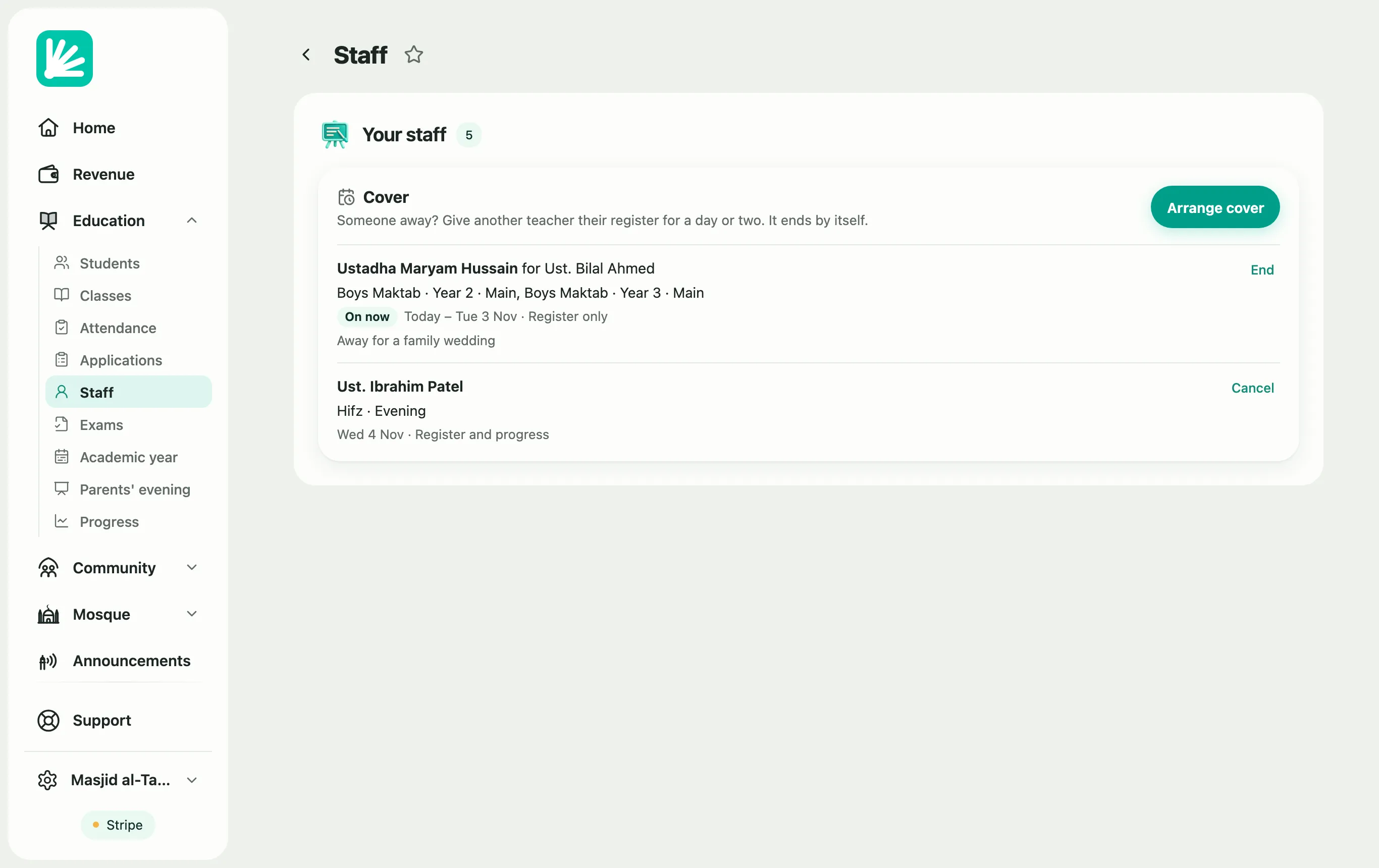
Go to Education → Staff. Under your staff, find the Cover card and choose Arrange cover.
-
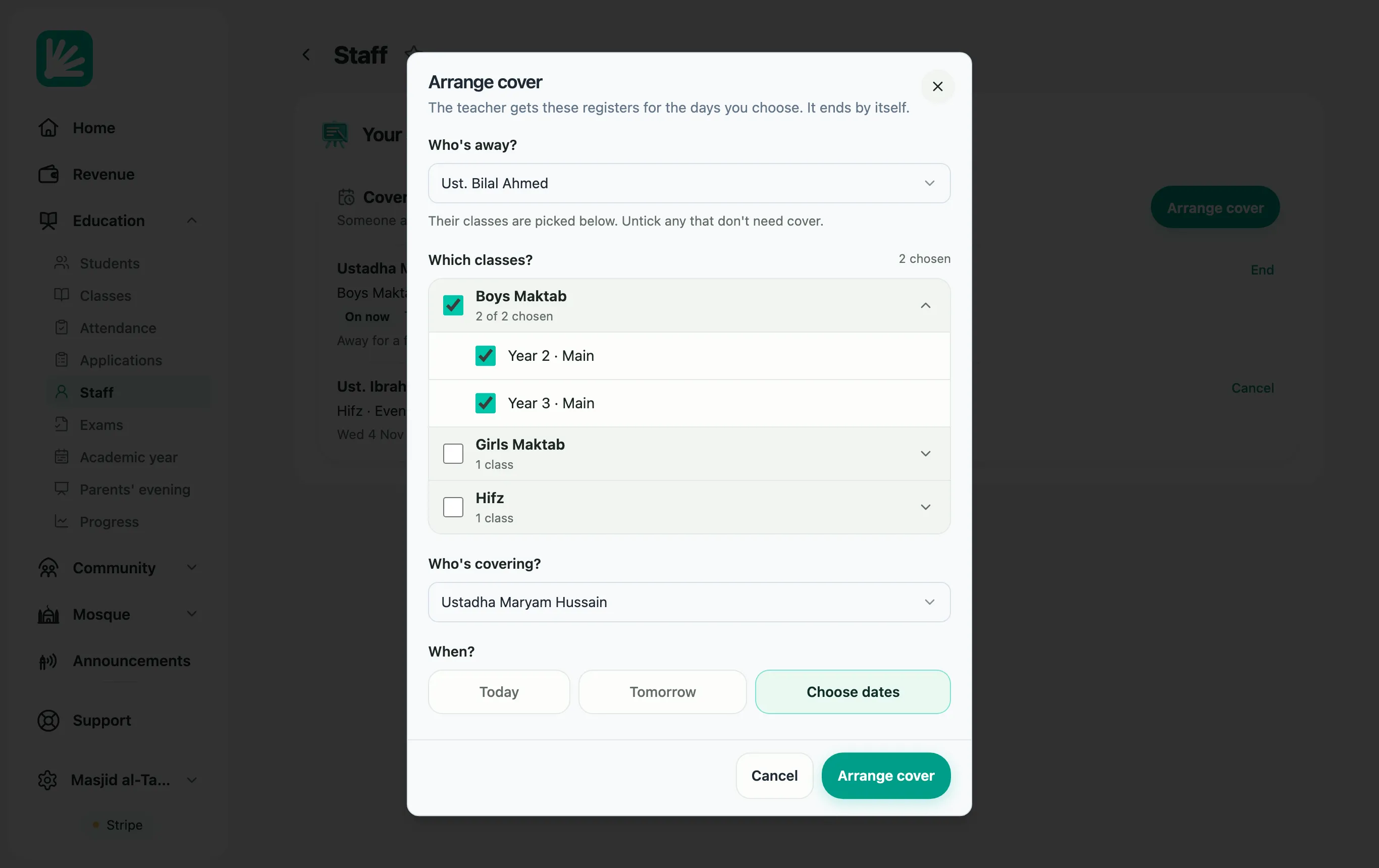
Who’s away? Choose the teacher who’s off. Their classes are ticked for you. Untick any that don’t need cover. You can also choose Don’t say (pick classes below) and tick classes yourself.
-
Which classes? Open a programme to see its classes, and tick the ones the cover teacher will take.
-
Who’s covering? Choose the teacher taking the classes.
-
When? Choose Today, Tomorrow or Choose dates. Cover can last up to three months.
-
Leave Can also record progress off if they only need to take the register. Switch it on if they should also record progress for these classes.
-
Add a Note if you like, then choose Arrange cover.
What the cover teacher sees
Section titled “What the cover teacher sees”As soon as you arrange cover, the cover teacher gets a notification on their phone (in the Labbaik app, or the web app if they’ve turned notifications on), saying which classes and when. On the morning the cover starts, they get a reminder too. They get another if you end or cancel it.
From the first day of the cover, the class appears in the cover teacher’s app. On Home, under Today, its line starts with Cover and names the class’s own teacher. They tap Take register and take it as usual. See Take a register.
With Can also record progress off, the class doesn’t appear in their Progress or Students lists. When the cover ends, the class leaves their app.
End or cancel cover early
Section titled “End or cancel cover early”The Cover card lists every cover that’s on now or coming up.
- End stops a cover that’s on now. The teacher loses the class straight away.
- Cancel removes a cover that hasn’t started yet.