
Hifz progress
Hifz is logged as you hear each student, every lesson. The Hifz form has three views: Recitation for today, Journey for their memorisation so far, and History.
Hear today’s recitation
Section titled “Hear today’s recitation”-
Open the student’s sheet and tap the Hifz tile, or choose Log Hifz on a Hifz class on Home. Recitation shows Today’s recitation.
-
For each of Sabaq, Sabaq Para and Dhor:
- Pick juz, or choose None for sabaq para or dhor if they didn’t read any today. (Students on the Foundational track pick a surah for sabaq instead.)
- Set how much they read. For sabaq that’s ½ page, Full page or a number of Lines. For sabaq para and dhor it’s which quarters (1st to 4th) or how many sides.
- Mark the result: Passed, Needs work or Repeat.
-
Under Mistakes & notes, tap the counters while they recite: Mistake, Stuck, Tajweed and Self-corrected. You can also Flag ayah to mark a spot to work on, or Add note.
-
Choose Done · next student to move on. If everyone you’ve heard did well, Mark all passed saves time.
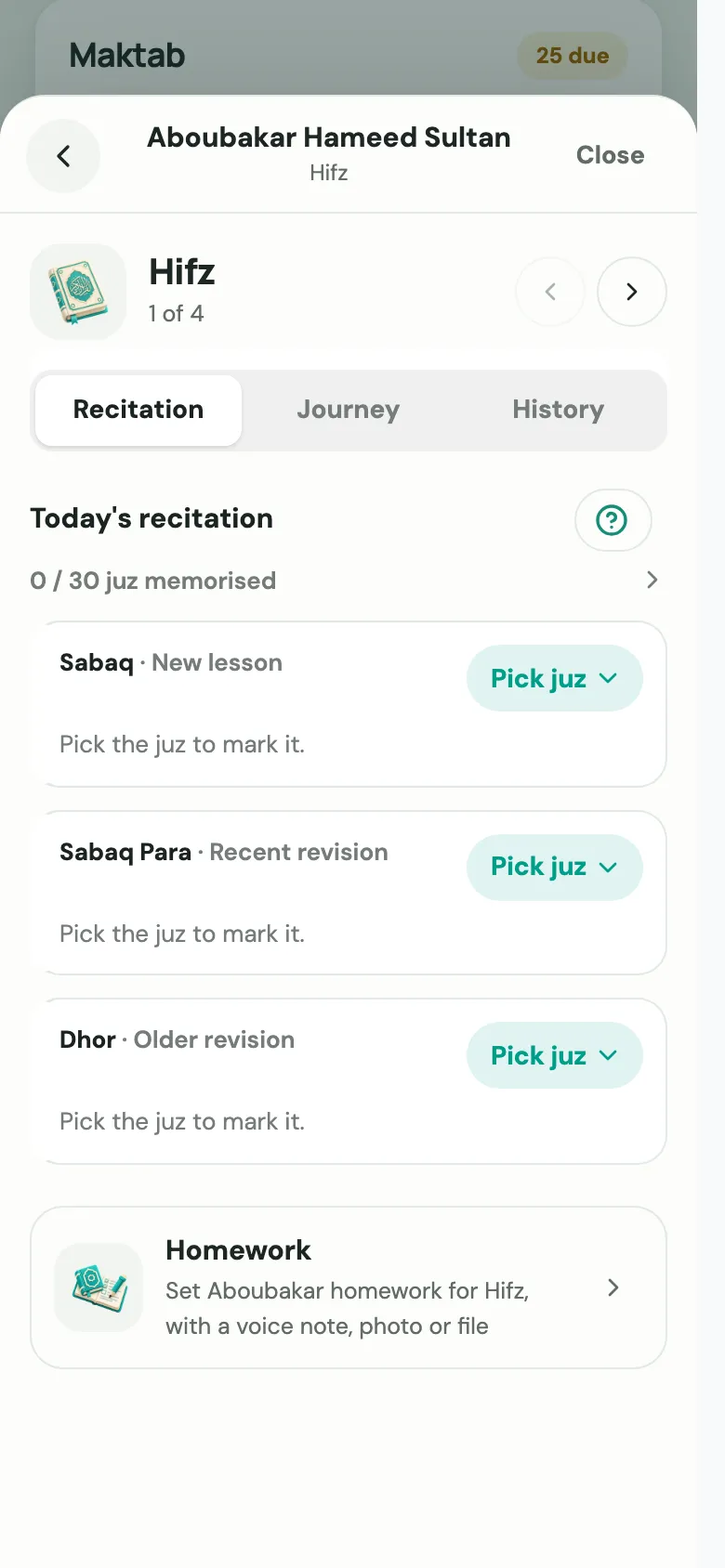
Recitation saves itself as you go. Watch the status at the top: Saving, Saved, or Not saved · tap to retry if the connection drops.
To send homework at the same time, use Send homework with Done. The next sabaq goes to the family as homework when you finish the student.
Hifz classes show N of M heard today on the Progress tab, so you can see who’s left.
The hifz journey
Section titled “The hifz journey”Journey shows the student’s memorisation as a whole:
- Hifz track: Foundational (30 → 29 → 28 → advanced), for students starting with the last juz, or Advanced (1 → 30 → Hafiz).
- The 30-para grid: tap a para to set sabaq there, or switch to tick memorised and tick every para they already know. Tick 1 to N ticks a run in one go, and Clear all starts again.
- Mark as Hafiz 🎓 unlocks on the Advanced track once they’ve memorised 27 juz. Foundational students instead get Mark Foundational as completed 🎓, ready to move on to Advanced.
- Juz Amma tracking for younger students.
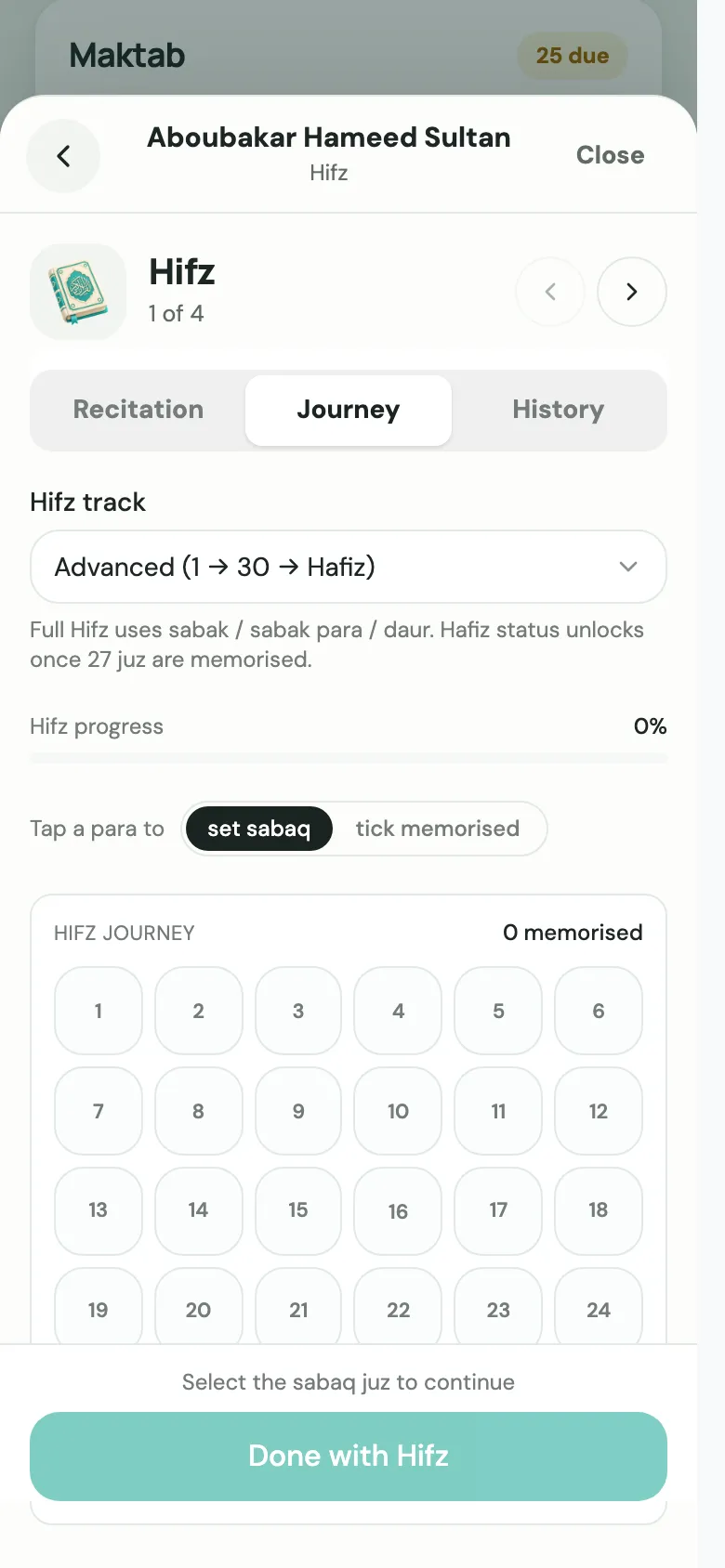
Journey changes aren’t saved until you choose Done with Hifz, then Save progress on the sheet.
History
Section titled “History”History lists every recitation you’ve logged for the student, so you can see how their sabaq, sabaq para and dhor have gone over the weeks.
Listen to the passage
Section titled “Listen to the passage”Once you’ve entered an ayah range under Mistakes & notes, a Listen button plays it. Under the para grid in Progress over time, Open Juz N in the Qur’an reader opens the whole juz. Both use the Qur’an Companion, so you can check a passage or play it for a student.