
WhatsApp for parents
Parents message wa.me/labbaik from the phone number you have on their child’s record. Share the link in your parents’ WhatsApp group or welcome letter.
Ask about their child
Section titled “Ask about their child”Parents can ask in their own words, for example:
- “Was Ali in today?”
- “How is Ali getting on with his hifz?”
- “Which class is Ali in, and who’s his teacher?”
- “What were Ali’s exam results?”
Labbaik answers from that child’s attendance, progress and exams. Parents only ever see their own children.
The parent portal’s Home screen also has an Ask about [child] on WhatsApp card, with example questions that parents can tap to send.
Report an absence
Section titled “Report an absence”A parent sends something like “Ali won’t be in tomorrow, he’s unwell”. Labbaik:
- records the absence, so it shows on the teacher’s register and doesn’t count against the child’s attendance;
- offers to pass the reason on to the teacher;
- can tell the parent later whether the teacher has seen it.
Parents can also say they’ll finish early or arrive late, for example “I’m picking Ali up at 5:30, his uncle is collecting”. These go to the teacher too, but they don’t excuse the time missed. To take a report back, the parent just asks Labbaik to cancel it.
You’ll see reported absences on the Absence reports card. See Take a register.
Sign in to the parent portal with WhatsApp
Section titled “Sign in to the parent portal with WhatsApp”Parents who’d rather not use email can sign in with a code sent on WhatsApp.
-
On the portal sign-in page, under Or continue with, the parent chooses WhatsApp.
-
They enter their phone number and choose Send code on WhatsApp.
-
Labbaik sends a 6-digit code on WhatsApp. They tap Copy code, paste it in, and they’re signed in.
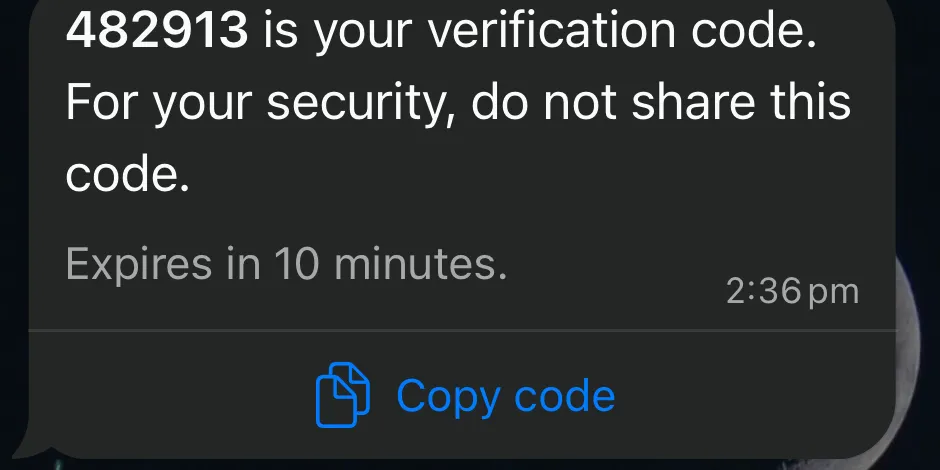
The code lasts 10 minutes. The number must be the WhatsApp number, mobile or mother’s mobile on the child’s record. Staff and admins sign in with email instead.
Messages parents receive
Section titled “Messages parents receive”Labbaik also sends parents messages, such as a report ready notice or a term attendance update they can reply to with an absence. See Messages Labbaik sends.