
Progress in the portal
Progress shows families exactly what the teacher has logged, in the same terms the teacher uses.
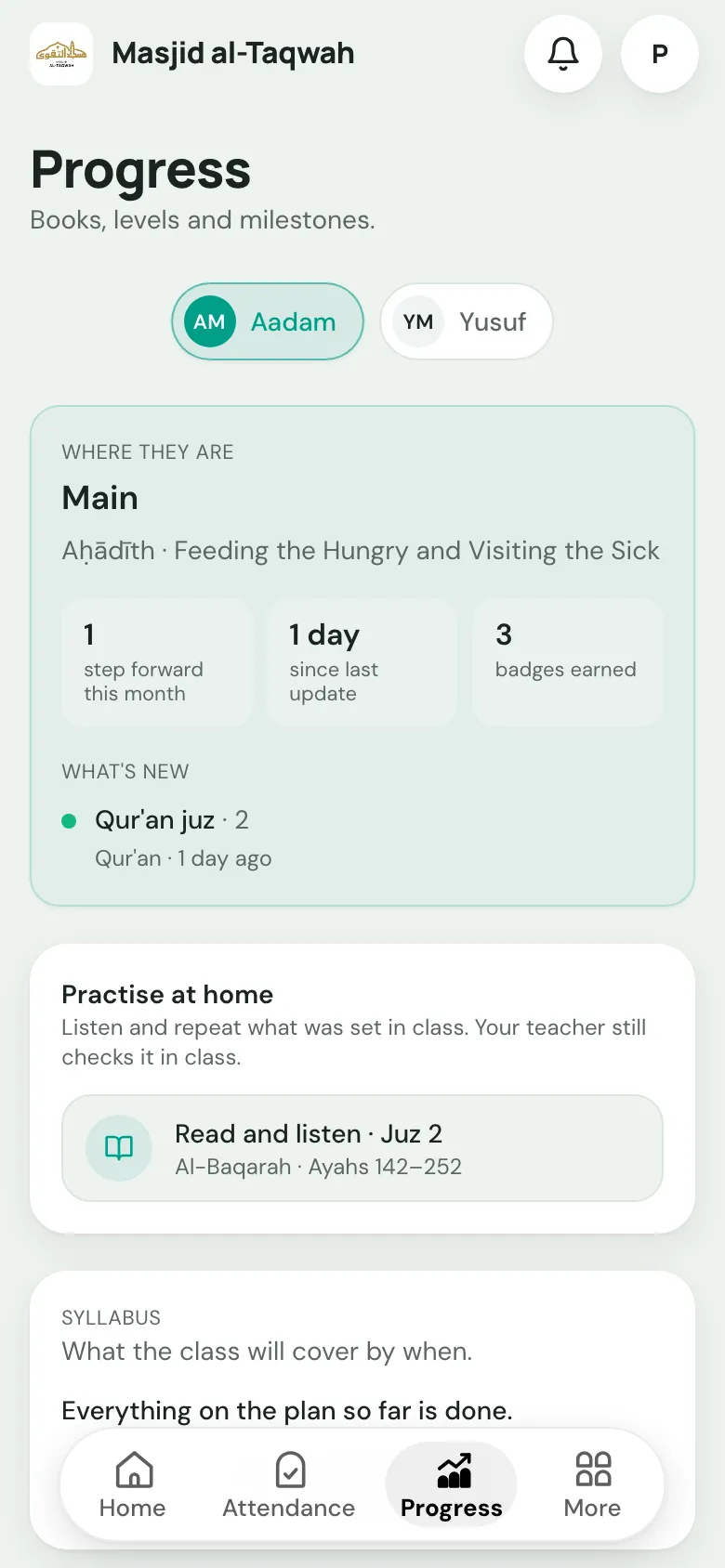
At the top
Section titled “At the top”- Where they are: the current lesson, juz or para for each subject at a glance.
- Practise at home: opens the current Qur’an passage in the Qur’an Companion.
- Syllabus: what the class is covering, if the teacher has set it out.
By subject
Section titled “By subject”| Subject | What families see |
|---|---|
| Qa’idah | Every lesson in their book, with the same grades the teacher gives: Not started, Learning, Practising, Secure and Mastered. Letters show Learning or Known. |
| Qur’an | The juz they’re reading, out of 30. |
| Hifz | The 30-para grid, showing which paras are memorised and where their sabaq is. |
| Books | The book, topic and page reached. |
Teacher notes are never shown to families.
- Books: progress through each subject or book.
- Exams: results from exams the teacher has marked.
- Over time: how their progress has moved month by month.
- History: every update the teacher has logged.
Badges they’ve earned appear at the bottom.