
Qur'an progress
Qur’an progress is for reading (nazirah): where a student is up to as they read through the Qur’an, and how well they’re reading. For memorisation, see Hifz progress.
Record Qur’an progress
Section titled “Record Qur’an progress”-
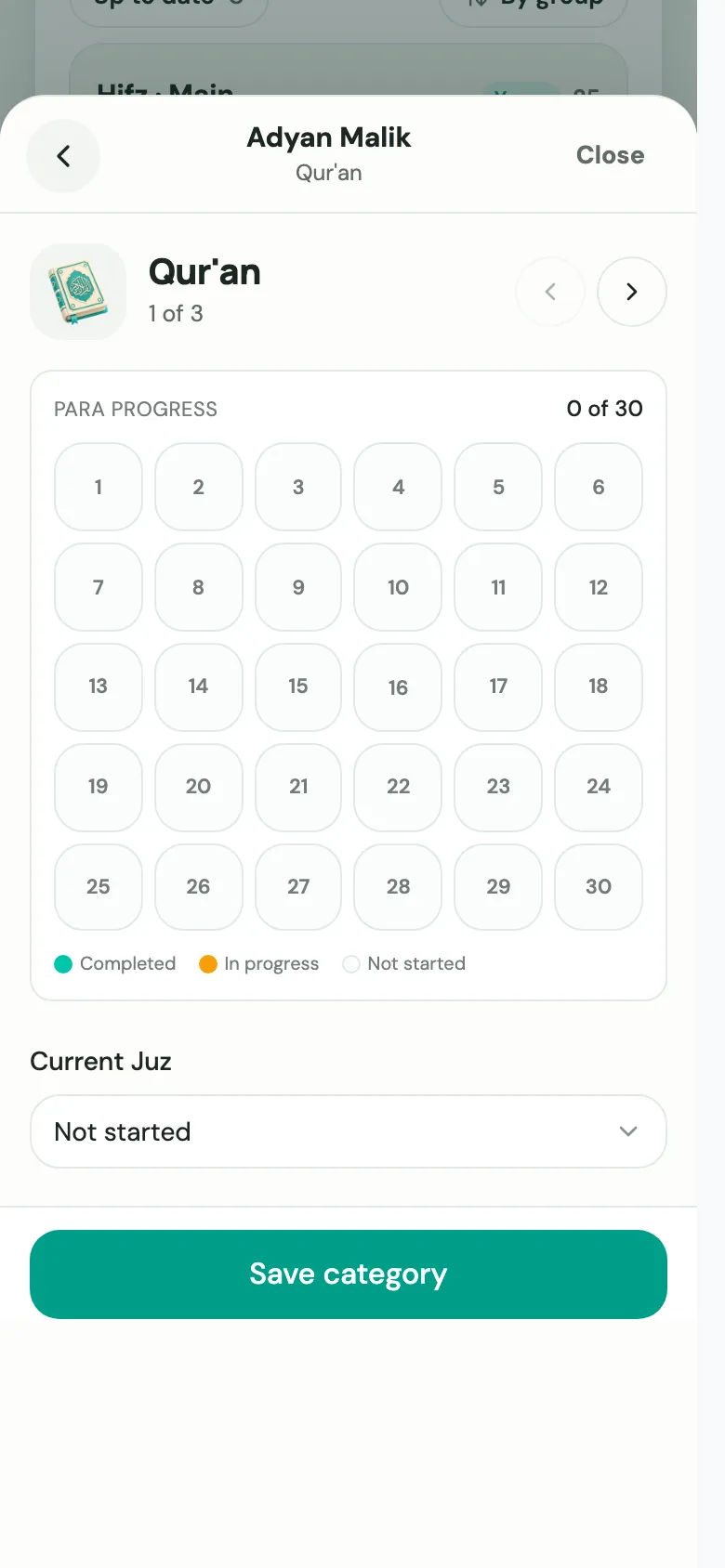
Open the student’s progress sheet (see Log progress) and tap the Qur’an tile.
-
If you’re asked, select the mushaf (printing) the student reads from.
-
Choose their Current Juz, or Not started. The Para progress grid shows all 30 juz at a glance.
-
Once a juz is chosen, use Page / Surah reference to note where exactly they are, for example “Surah Baqarah p.42”.
-
Choose the Recitation quality: Excellent, Good, Needs work or Poor.
-
Choose Save category, then Save progress on the sheet when you’ve finished the student.
Khatam
Section titled “Khatam”When a student reaches Juz 30, the form offers 🌙 Mark Khatam & start again. Choose Confirm khatam to record that they’ve finished the whole Qur’an, and start them again from the beginning.
Faster: Quick register
Section titled “Faster: Quick register”In the Quick register, Qur’an is just the juz and page for each student, so you can update a whole class in a minute. See Quick register.