
Homework and practice
Homework has two lists: To do and Earlier, and you can filter by subject, such as Hifz or Quran. Each homework shows what the teacher set: instructions, voice notes, photos, files, and any Qur’an passage.
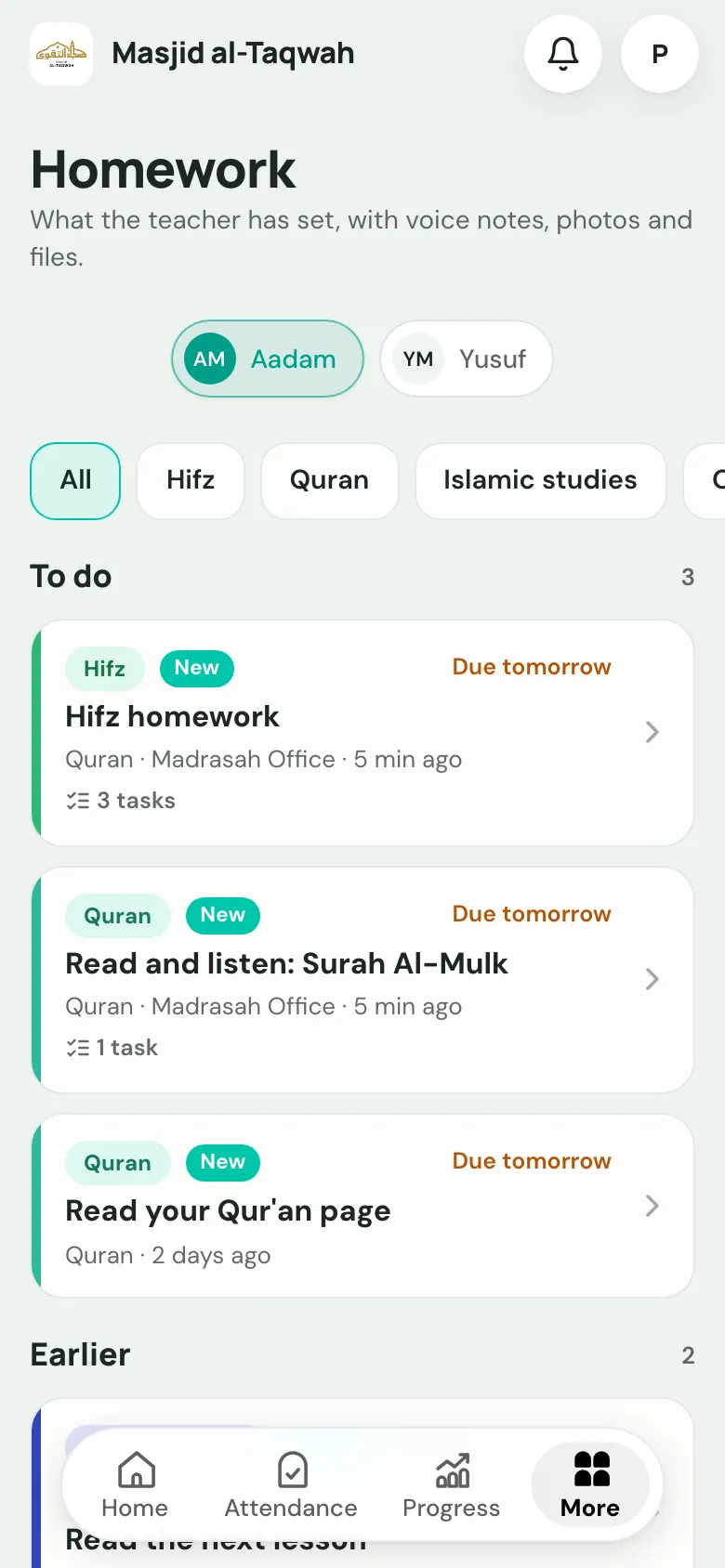
Doing a homework
Section titled “Doing a homework”-
Open the homework from Home or More → Homework.
-
Read the task and the Teacher’s note.
-
For Qur’an or Hifz, practise the passage in the Qur’an Companion (see below), then tick Practised on each task.
-
At the bottom, answer Completed? Yes or No, and add the Time spent. Your teacher can see this.
Qur’an reading homework
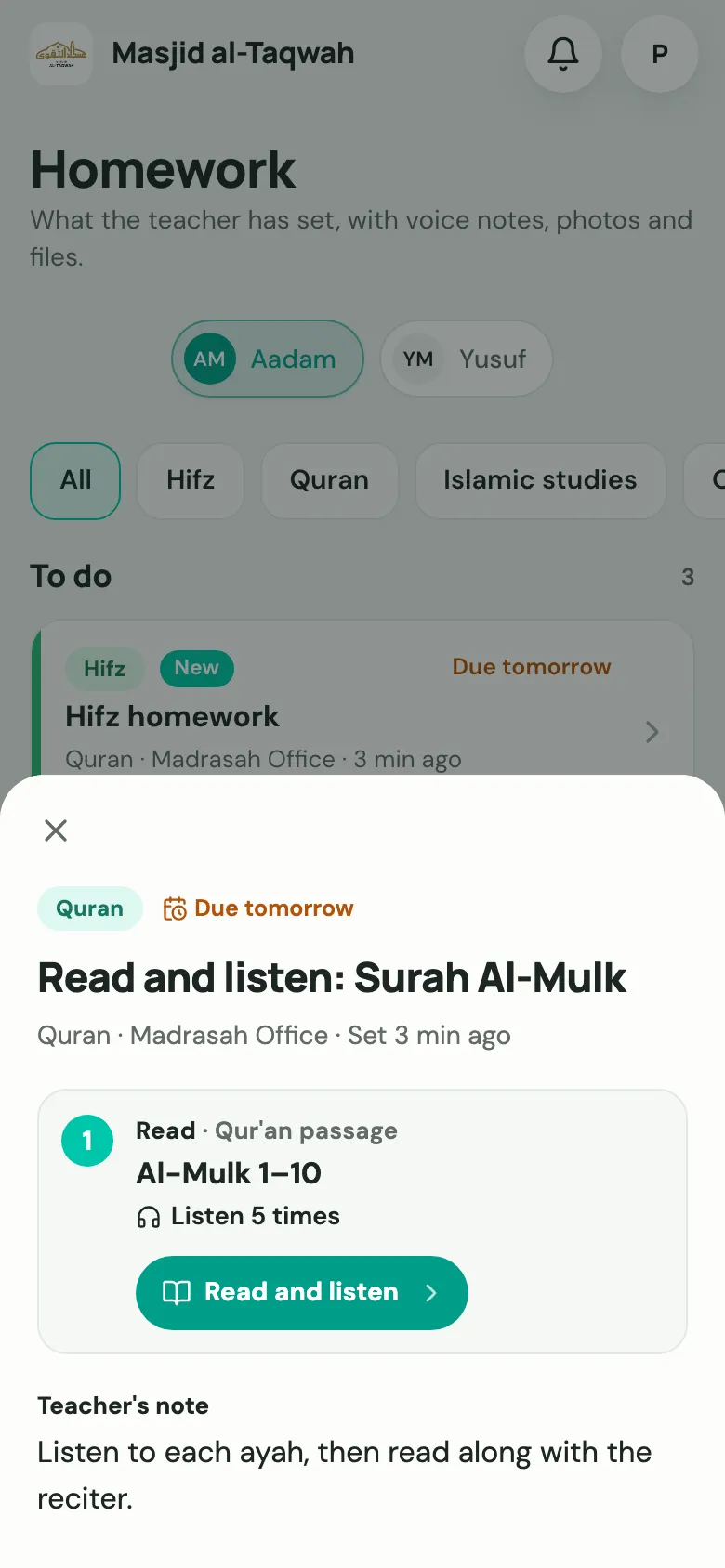
Section titled “Qur’an reading homework”The homework shows the passage, such as Al-Mulk 1–10, and how many times to listen. Choose Read and listen to open it in the Qur’an Companion with the teacher’s target set.
Hifz homework
Section titled “Hifz homework”Hifz homework has a task for each of Sabaq, Sabaq Para and Dhor. Each task has Listen and practise, which plays just that portion on repeat.
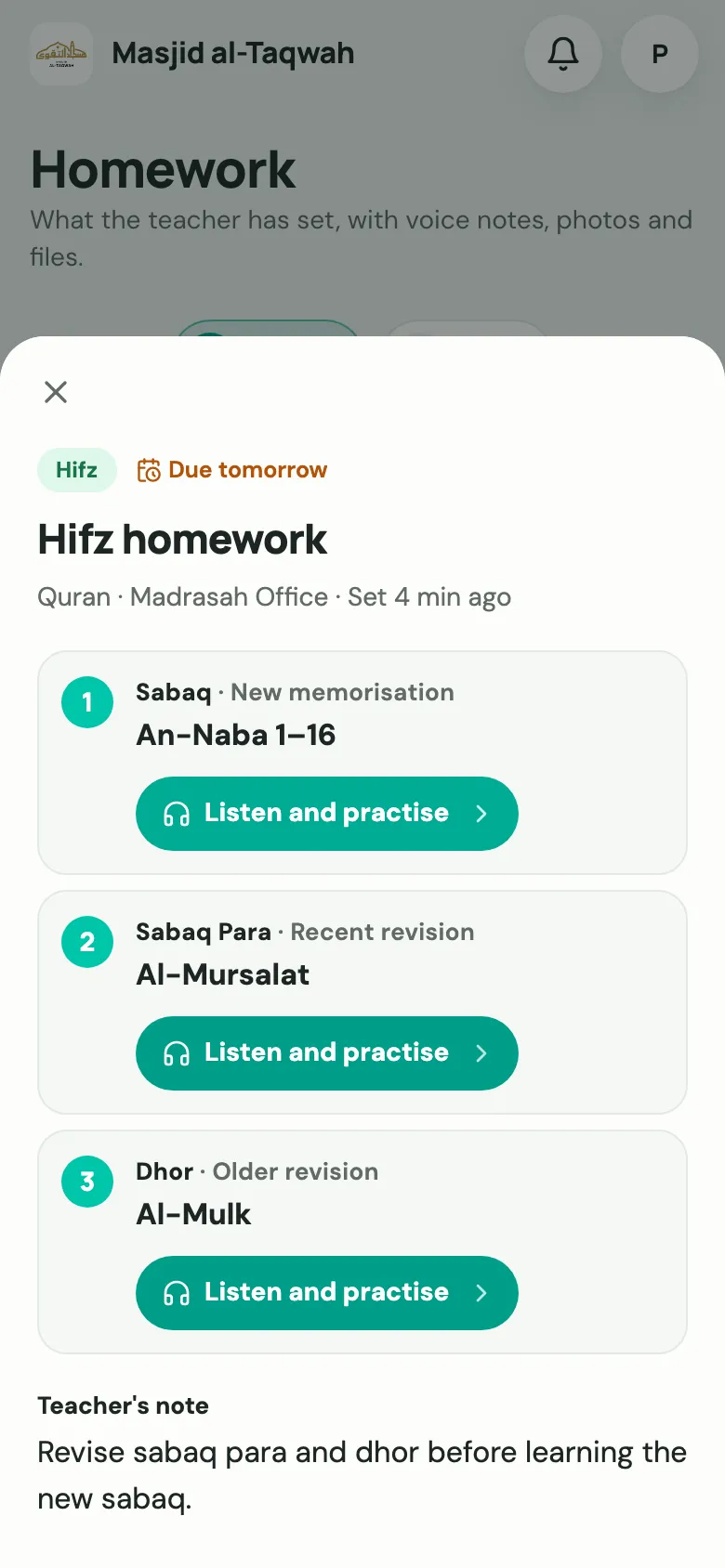
For the practise settings (repeats, pauses and hiding the text), see Qur’an Companion for families. The teacher sees Practised in the Qur’an reader · N times when they mark it.
The teacher’s marking
Section titled “The teacher’s marking”For Qur’an and Hifz homework, the teacher marks each task after the next lesson: Completed, Needs improvement or Repeat. Families see the result here.