
Announcements
There are two kinds of announcement:
- Announcements to people go to parents, staff or both. They appear in the app and portal, can buzz their phones and arrive by email, and you can see who has read them.
- Board items are public notices for your website and the prayer board screen.
Both live under Announcements in the sidebar.
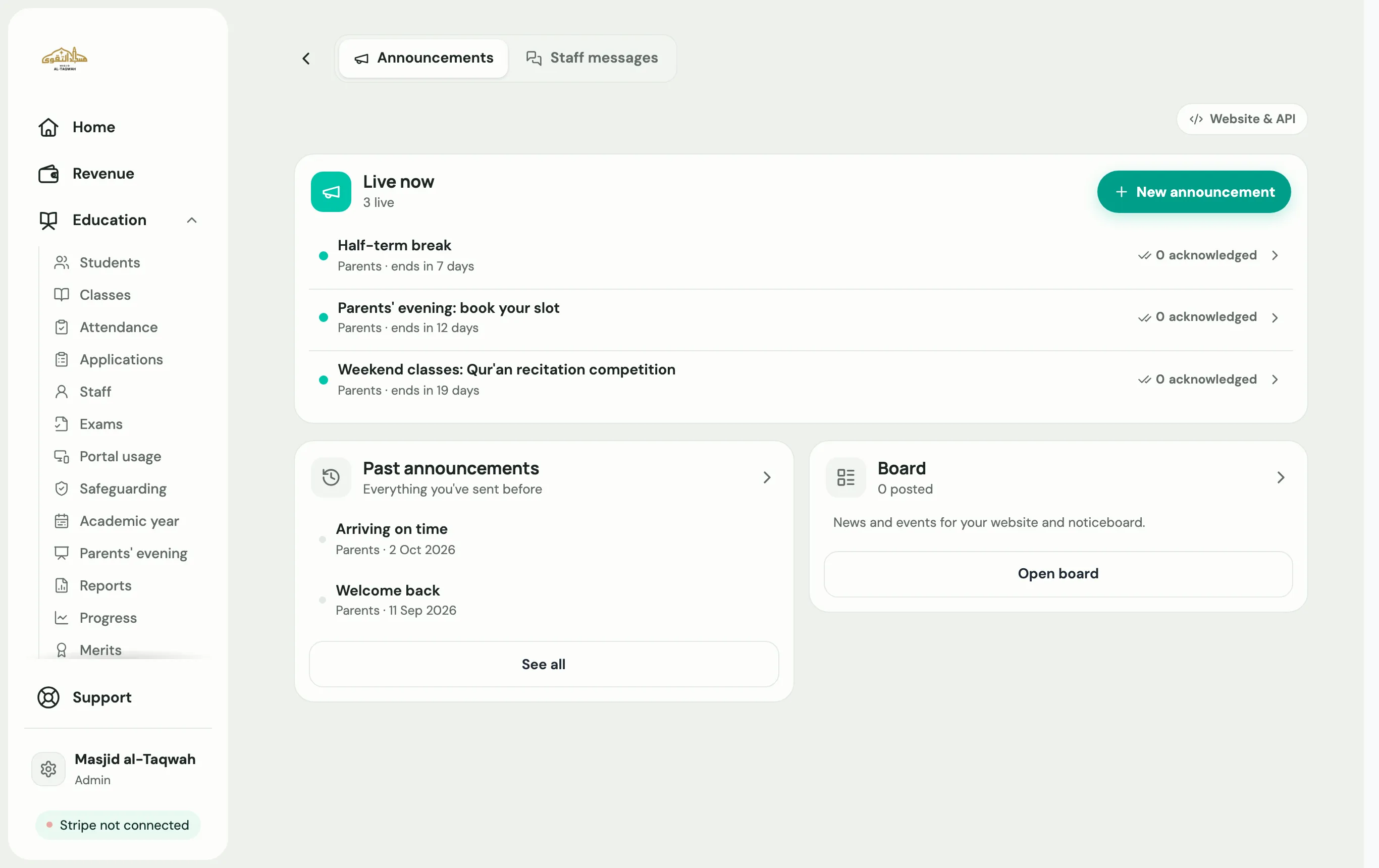
Send an announcement to parents or staff
Section titled “Send an announcement to parents or staff”-
Go to Announcements. Under Live now, choose New announcement.
-
Choose who it’s for:
- All parents, or pick parents By class
- All staff, or Choose teachers
- Staff and parents
-
Write your message. Choose Attach a file to add a picture or a PDF.
-
Choose how people hear about it:
- Phone notification buzzes their phone, as well as showing in the app.
- In-app only shows it in the app with no phone alert.
- Also send by email sends a copy to each person’s email.
-
Choose when it goes out: Send now, or Send at a time such as tonight at 6 pm or tomorrow at 9 am. Set when it ends, so it doesn’t stay up forever.
-
Choose Send announcement.
Each announcement under Live now shows how many people have acknowledged it. Open it and choose See who to see who was notified and who has read it, with separate Staff and Parents tabs. To take it down early, choose End now.
Put a notice on your website or prayer board
Section titled “Put a notice on your website or prayer board”-
On the Announcements page, choose Open board on the Board card.
-
Add a new board item.
-
Write your title and message, and add an image if you like.
-
Choose where it shows under Show on: Both, Website or Prayer board.
-
Choose Publish now, or Post it later to schedule it.
Show your board on your website
Section titled “Show your board on your website”Choose Website & API, then follow Add the board to your website to copy a snippet for your own site. It updates on its own whenever you post.