
Merits and badges
There are two ways to celebrate students:
- Merits are points. Students earn them by coming to class, making progress and behaving well, and teachers can give extra. Merits are optional; nothing shows to families until you switch them on.
- Badges are milestones Labbaik awards on its own, such as finishing the Qa’idah or a khatam. They’re always on.
Switch on merits
Section titled “Switch on merits”-
Go to Education → Merits and choose Switch on merits.
-
Open Set up. Under How merits are earned, switch on each way you want students to earn points: Attendance, Progress and Behaviour all start switched off. Everything saves as you change it.
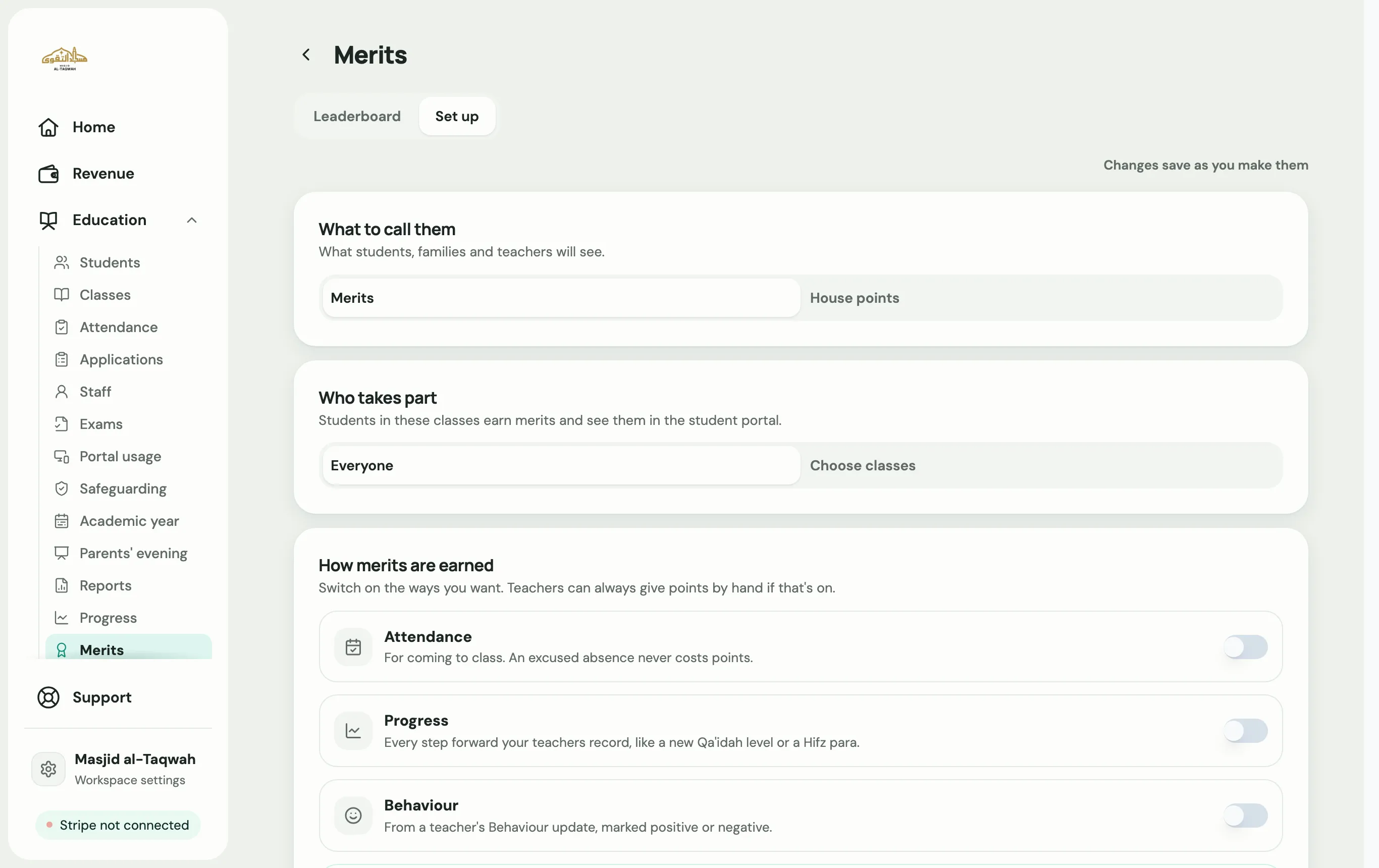
| Setting | What it does |
|---|---|
| What to call them | Merits or House points. |
| Who takes part | Everyone, or only some programmes and classes. |
| How merits are earned | Switch on each way students can earn points, then set how many: |
| Attendance | Points for Came to class (1), Arrived late (0) and missing class (−1). Excused absences never lose points. |
| Progress | Points for Each step forward (2). |
| Behaviour | Points for Good behaviour (2) and Poor behaviour (−2), from teachers’ behaviour updates. |
| Given by teachers | The Most at one time a teacher can give (10 to start, up to 50). |
| Starting again | Never, or every week, month, term or academic year. Nothing is deleted; the count just starts fresh. |
| Below zero | Whether a total can go below zero. Off to start with. |
| Show each student their rank | Whether families see “Ranked 3 of 20”. On to start with. |
The numbers above are where they start; you can change any of them. Points from attendance and progress appear within about five minutes.
Give merits (teachers)
Section titled “Give merits (teachers)”-
In the teacher portal, open Students and choose Give merits.
-
Pick the students, or Select all.
-
Choose Give or Take away, and How many?
-
Add a Reason if you like: Good behaviour, Helping others, Great effort, Excellent work, or write your own.
Admins can give merits from the Leaderboard too, and undo a merit that was given by hand from a student’s history.
The leaderboard
Section titled “The leaderboard”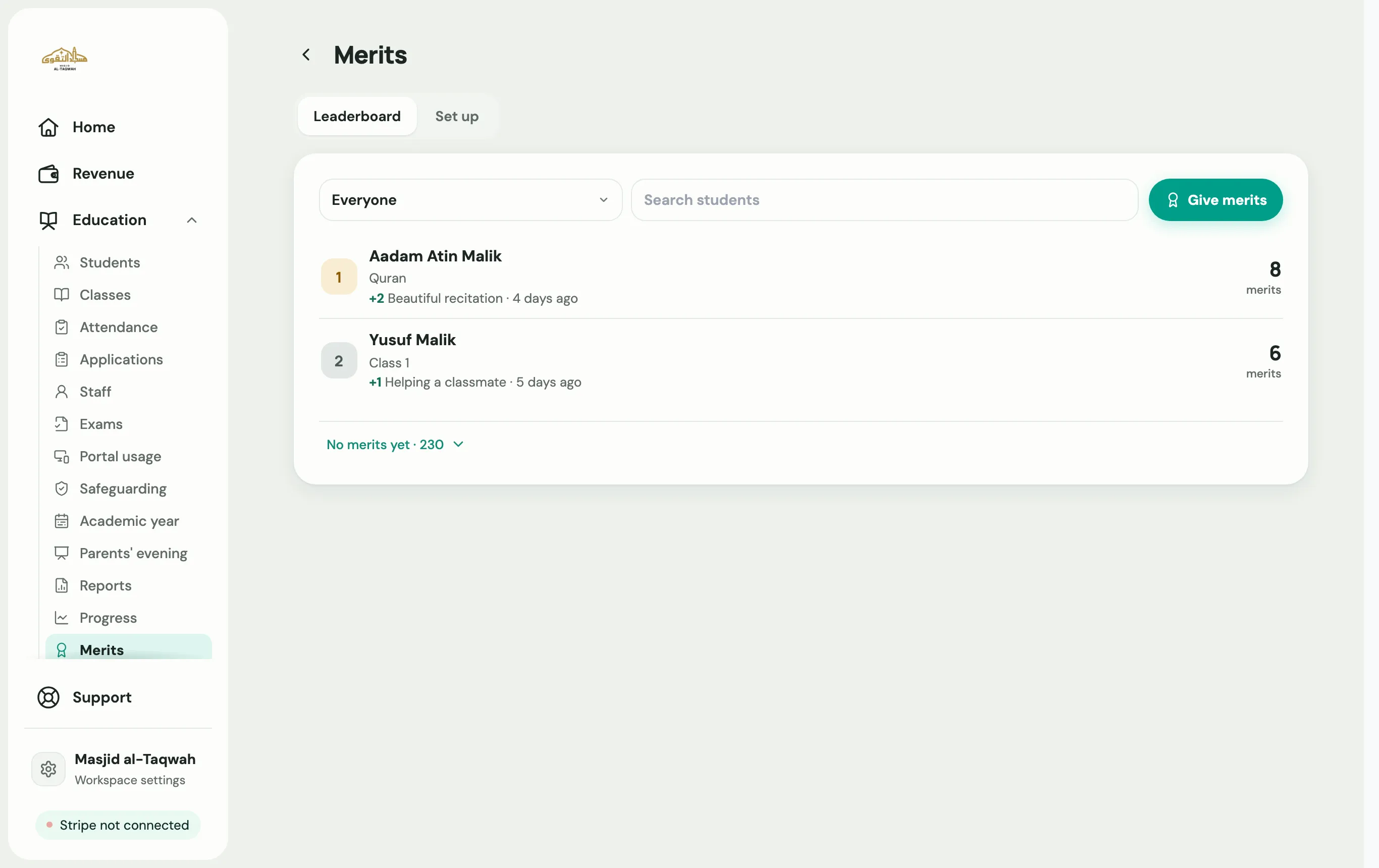
Education → Merits → Leaderboard shows every student’s total. Filter by programme and class, or search for a student. Tap a student to see each merit they’ve earned.
What families see
Section titled “What families see”A Merits (or House points) card on the portal’s Home, with the child’s total, their rank if you show it (such as “Ranked 3 of 20 in Year 1”), and See every one for the history. Families never see which teacher gave a merit, and no notification is sent.
Badges
Section titled “Badges”Labbaik awards badges automatically when a student reaches a milestone, for example Qāʿidah Graduate, Exam Passed, Top Marks (90% or more), Khatam, Perfect Attendance, attendance streaks and 100 Sessions. Teachers can award Star Student, and admins can give any badge by hand from the student’s card.
Families see badges on Home and on the Progress page, with the ones Still to unlock. Badges and merits are separate: badges don’t use or add merit points.