
The parent and student portal
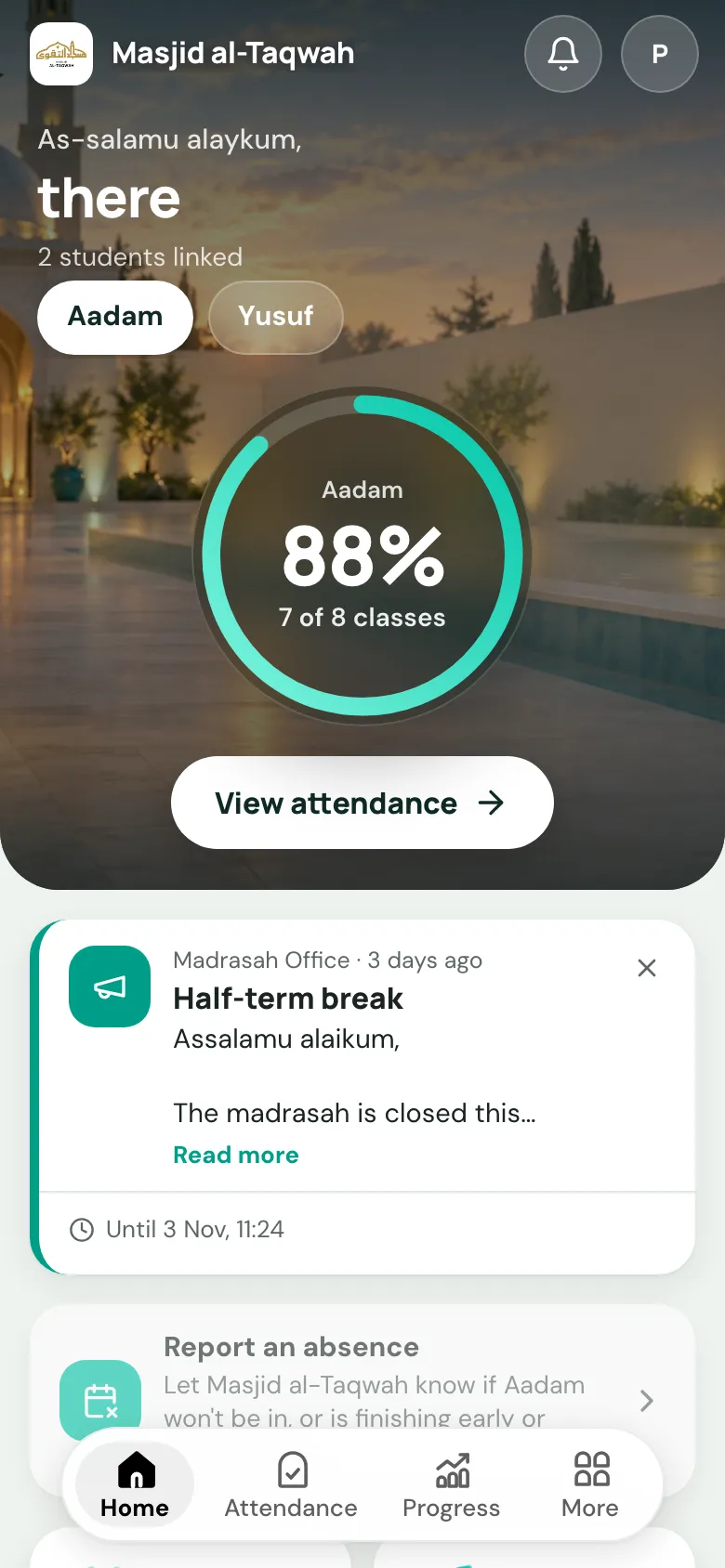
The portal is where families follow their child’s attendance, progress and homework, practise Qur’an at home, pay fees and hear from you. There’s nothing to install: it works in any phone browser, and they can add it to their home screen like an app.
The portal link
Section titled “The portal link”Your portal lives at:
portal.uselabbaik.com/yournameyourname is your organisation’s username. Share it on WhatsApp, on your website and in your welcome letter.
How families sign in
Section titled “How families sign in”There are three ways, and none of them needs a password:
- Email: they enter their email and choose Send sign-in link. The email has a link and a 6-digit code; either works.
- Google: if their email is a Gmail or Google account. (Not offered in the iPhone app.)
- WhatsApp: a code sent on WhatsApp to the number on their child’s record. See WhatsApp sign-in.
Parents, second parents and adult students
Section titled “Parents, second parents and adult students”| Who | What they see |
|---|---|
| Main parent | Everything for their children, including Billing. Their email is the guardian email on the child’s record. |
| Second parent | Signs in with the mother’s (or second) email on the record. They see their children’s attendance, progress and homework, but not Billing. |
| Adult student | An adult learner signs in for themselves. The portal talks to them directly (“Where you’re up to”) rather than about a child. |
More than one child? A child switcher at the top changes between them. Children at more than one masjid or madrasah? Families choose which one after signing in.
Staff who are also parents get a Teacher view or Admin view button, to switch back.
What’s in the portal
Section titled “What’s in the portal”The bar along the bottom has Home, Attendance and Progress. Everything else is under More:
| Page | What’s there |
|---|---|
| Home | Today at a glance: announcements, closures, homework, and reporting an absence. See Home and absences. |
| Attendance | A calendar of every class day, with present, absent and late marks. |
| Progress | Where they’re up to in Qa’idah, Qur’an and Hifz, and their exams. See Progress. |
| Homework | What’s set and when it’s due; tick it off and say how long it took. See Homework and practice. |
| Qur’an | The Qur’an Companion, for children studying Qur’an or Hifz: read along with a reciter, and practise homework passages. |
| Reports | Term reports, once you publish them. |
| Recordings | Recorded lessons the teacher has published. |
| Game | A learning game for children studying Qa’idah, Qur’an or tajweed. |
| Messages | Announcements you’ve sent. |
| Billing | Fees, payments and card details. Main parent only. See Billing and account. |
| Notifications and Profile | Which alerts they get, and their contact details. |
For admins: see the portal as a family
Section titled “For admins: see the portal as a family”To check what a family sees, open the student’s profile, go to the Contact tab and choose View portal as parent (Ghost Mode) (or …as student for adults). You can also go to Education → Portal usage, open a family and choose View as parent.
It opens in a new tab with an orange Ghost Mode banner, and lasts an hour. It’s for looking only: billing, profile and practice can’t be changed. Choose Exit when you’re done. The student needs a guardian email for this to work.
Education → Portal usage also shows which families have signed in, so you can follow up with the ones who haven’t.